
Navigation
Flow navigation using scoreboards and light indications
Each navigation level answers its own question: the entrance panel selects the floor, panel selects the sector, the row panel selects the side of the passage, and the camera backlight helps you see an empty group of seats from afar.
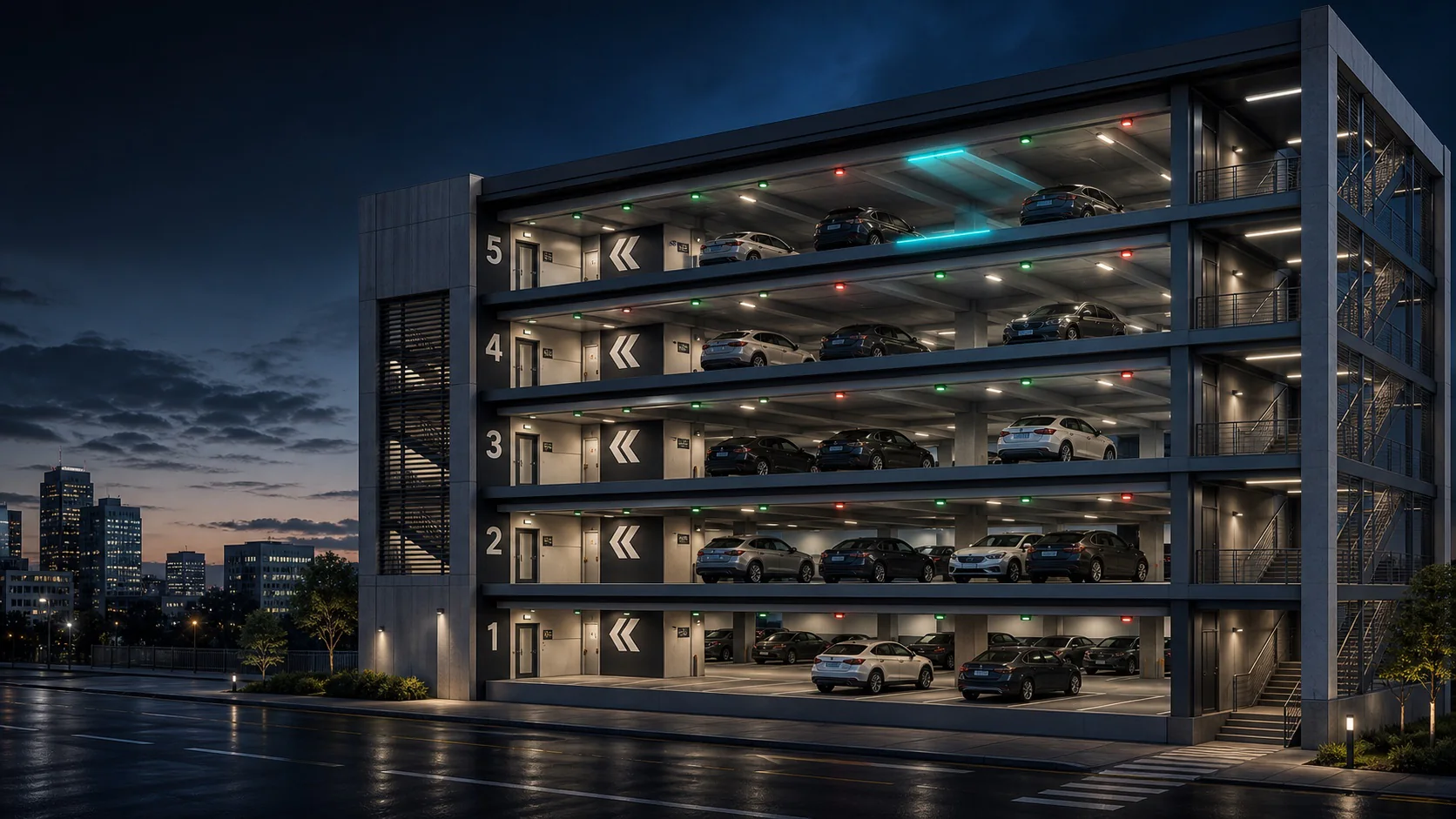
Multi-level commercial parking, airport or office complex
Driver, operator, management service
CShark cameras, entrance, floor and row boards, digital map
Free seats by floors, sectors and sides of the passage, loading and direction of movement
Object task
What the scenario should provide
- Do not direct all traffic to the nearest floor if its passages are already congested.
- Show the driver only the information needed at the current route point.
- Coordinate counters on the scoreboard, in the application and on the operator’s card.
Sequence
How CShark works
Entry
The board shows the total number of available seats and the distribution by floor, including accessible seats for people with limited mobility.
Level selection
At the ramp and entrance to the floor, the driver sees the number of available spaces at the current level and brief information on other levels.
Selecting a route
A double-sided row display shows how many available spaces are on the left and right in the direction of travel.
Visual search
The cameras in the center of the passage glow green when there is a regular free space, purple when only the seat for the MGN is free, and red when all monitored seats are occupied.
Redistribution
Once space is occupied or freed, CShark updates the digital map and associated scoreboards. Routing takes into account the new state without manual input.
Interfaces
What does each role see?
Driver
Receives sequential cues and does not learn the complete layout of the object while moving.
Operator
Sees unified counters, the state of each scoreboard and zones with increasing load.
Management
Analyzes the distribution of flows and adjusts the rules for issuing zones for different periods.
Exceptions
How deviations are processed
The scoreboard did not confirm the update
The device receives a technical status, the operator sees the last confirmed content and address of the equipment.
The passage is temporarily closed
The zone is excluded from navigation, the boards show an alternative direction, free places are recalculated according to available routes.
Camera lost connection
Affected locations are not reported as reliably free until surveillance is restored or the operator decides.
Result
What the facility gains
- The driver receives a decision gradually, at those points where he needs to choose a direction.
- Free seats are distributed between levels and passages taking into account the actual availability of the route.
- The operator sees data discrepancies or equipment failures before they become noticeable to the driver.
Project CShark